


Frequently Asked Questions
Browse answers by topic.
Losing data after a long day of shooting can be one of the worst feelings in the world. Luckily, we have advanced, reliable software called Recovery ProTM that can recover your lost photos and videos. You can follow a simple 3-step procedure using Recovery Pro to recover your memory card’s data. Step 1: Stop using the card and remove it from the camera if you have accidentally deleted some photos or happened to format the entire card. Any additional photos you take or videos you shoot may overwrite the deleted ones, making them partially or fully unrecoverable. The same goes if the data on the card becomes corrupt, or both your camera and computer are unable to read the card. Stop using the card and do not format it even if your camera or computer suggests this to make the card readable again. Step 2: Download a free Recovery ProTM evaluation copy. It is completely free, and you can use it to assess the scope of damage and see if your images are recoverable. Step 3: Once green-lighted by the free evaluation software, upgrade to the paid version right from the software and use it for deleted photo and video recovery. It costs just $49.99 for a full-year license, and you can use it to recover an unlimited number of images. To read up on common causes for data loss and how memory card data recovery works, visit the full blog post here.
If a card has been accidentally quick formatted or some of the files have unintentionally been deleted, Recovery Pro can recover those files in most cases. If a card has been low level/long formatted on a Windows PC or in cameras that offer such low-level formatting capabilities or if it has been through a secure formatted in macOS or sanitized by ProGrade Refresh Pro software, then the content of those cards is no longer recoverable.
No. The software will attempt to do its best when the card has accidentally been formatted or files on the card have been deleted. Recovery Pro will show a preview of photos for typical format files that can be recovered while videos and RAW files cannot be previewed at this time. Depending on the fragmentation of files and their format, some may not be recoverable at all. The trial version allows you to determine if files can be recovered before you purchase the software.
No, Recovery Pro works with all memory cards including ProGrade Digital cards.
No. Currently Recovery Pro does not allow preview of the RAW format files while the software will recover most, but not all RAW format files. ProGrade is working on making RAW files preview-able in future releases of Recovery Pro.
Recovery Pro first requires the creation of a carbon disk image copy of your memory card. So, if you have a 64GB card, then you need 64GB space on your system (Internal or external) to make that image. We then recover files from that disk image. So, if your card was full, then you will need another 64GB space for recovery for a total of 128GB available on your disk. In general, it is good practice to have twice the amount of space on your hard drive, in comparison with your memory card density.
If your card was heavily used, it is likely that all your files have been scattered around your memory card. In that case, fragmentation would do a better job recovering those files, but it will take a lot longer to preview and recover them. If your card was relatively clean, or less used, before you lost your data, then you do not need to use the fragmentation option. One option is to run recovery without fragmentation and if the software cannot recover all the files, then run it again with the fragmentation option.
No. The intent of Recovery Pro is to recover ONLY photos and video files recorded on various consumer and professional cameras.
Please refer to this document that lists the formats and extension of files that are currently supported in Recovery Pro.
Depending on your memory card size and how much memory you have on your system and whether you are using the fragmentation option, Recovery Pro could take a long time to preview and recover your files.
Recovery Pro runs on Windows and macOS devices. Ideally you would need 16GB of DRAM/Memory and twice the capacity of your memory card in available space on your disk.
No. At this time, Recovery Pro only recovers known good file images and video files that have been accidentally formatted or deleted.
Recovery Pro license is a subscription base license that works only for 12 months. You will need to renew your license to be able to use it again. We continue to make changes to Recovery Pro, and you will get updates while your license is still active.
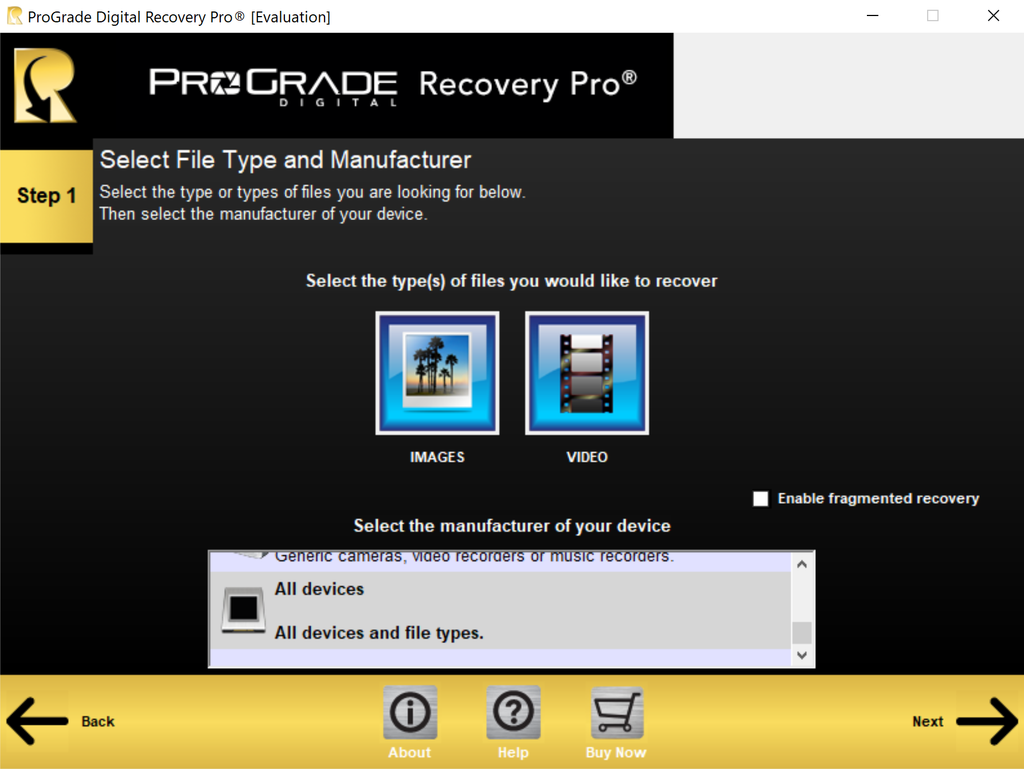
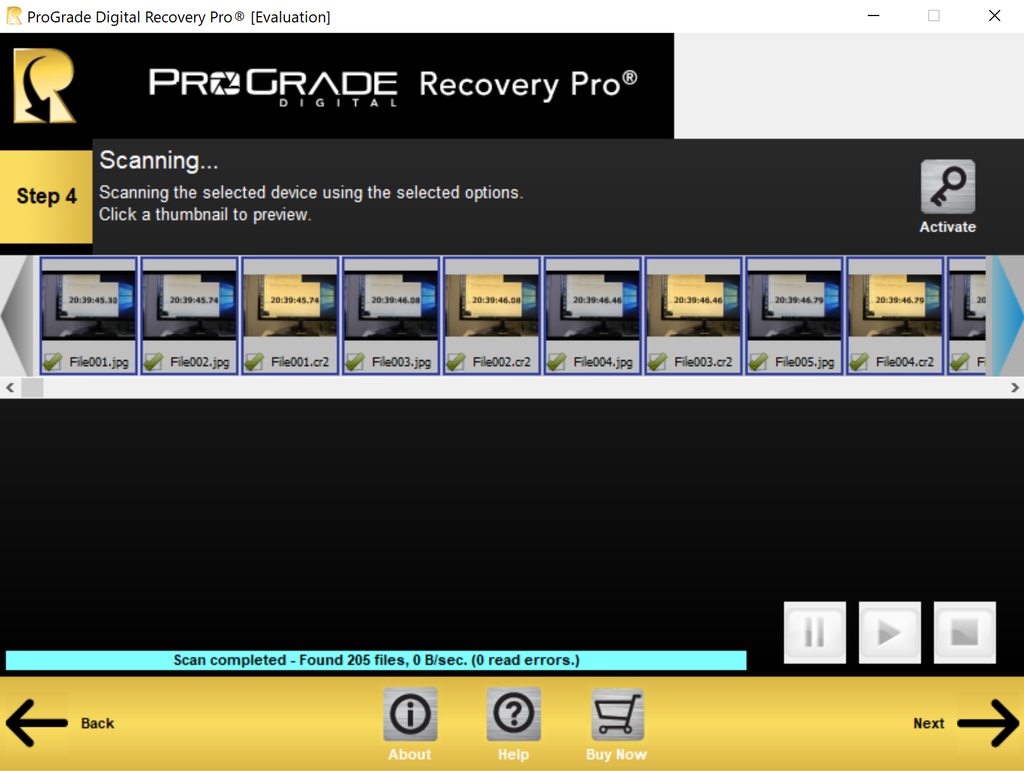
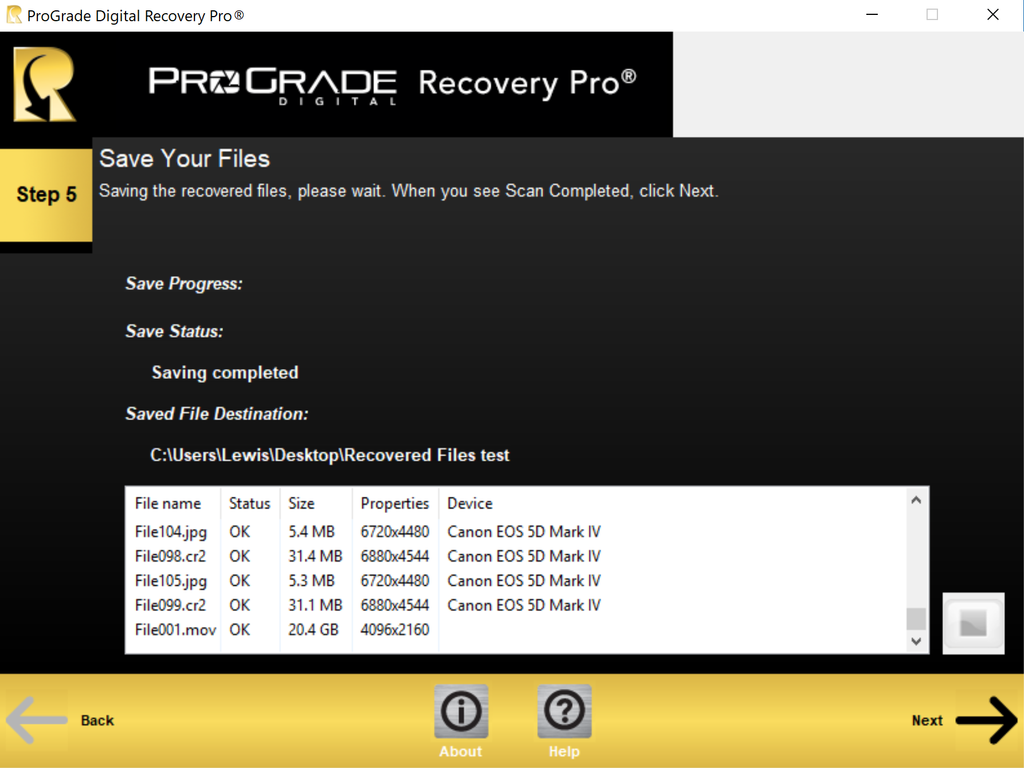
Recovery Pro Data Recovery Software Interface
Quick Glance Screenshots
Questions before you buy?
Our support team is here!
Call
USA: +1 877 219 0203
Worldwide: +1 408 708 9290
Support Hours: Monday to Friday
9:00am - 5:00pm PT
One of our team members will get back to you within 24 business hours
Get the Latest News on Products and Promotions
Subscribe to the ProGrade Digital newsletter and get a 15% discount on your first order.
(Watch your email for a 15% off coupon code)